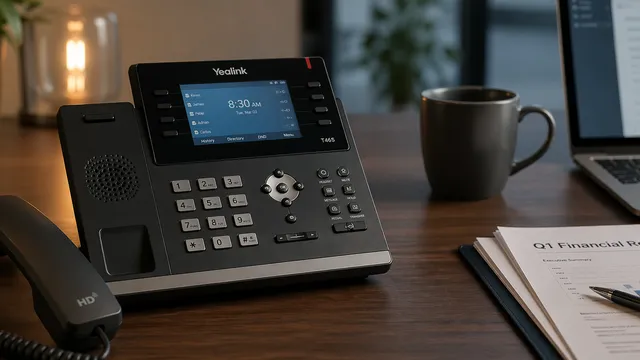

Yealink Phone End of Life: 2019–2028 Support Timeline
Yealink announces EOL up to five years after End of Sale. Here's every affected Yealink phone's EOS and EOL date and what it means on 3CX, Zoom Phone, and RingCentral.

In this article
An aging desk phone doesn’t announce itself. It works, right up until it doesn’t. Missed calls one week, one-way audio complaints the next, and then one Monday the whole office can’t dial out.
For Yealink phones, that Monday is on a published schedule. Yealink announces End of Life up to five years after it stops selling a model, and at EOL its firmware updates and security patches stop.2 Your cloud PBX — 3CX, RingCentral, or Zoom Phone — has its own rules that rarely match Yealink’s dates.
Below is the full picture: every major Yealink desk phone’s End of Sale and End of Life date, plus what each of the three big cloud PBXs does when a phone passes manufacturer EOL.
How Yealink’s support policy works
Yealink publishes two dates for every phone:
- End of Sale (EOS): the last day Yealink ships new units.
- End of Life (EOL): announced up to five years after EOS. At EOL, Yealink stops issuing firmware updates and security patches.2
After EOL the phone still turns on. It still makes calls, right up until the network it depends on stops certifying it. That is the second half of this story.
A note on the tables below: the “3CX” column reflects whether 3CX still ships an auto-provisioning template for that model under v18 Update 5 and later.3 “Manual only” means calls still work but the phone has to be configured by hand. Read the RingCentral and Zoom Phone sections below the tables for each platform’s specific cutoff rules — those live in prose because the rules differ in kind, not just in date.
Find your phone
Already retired (Yealink EOL before 2024)
Past Yealink EOL for more than two years. Unsupported on every major cloud PBX. If one is still on a desk, it is running on borrowed time.
| Model | Yealink EOS | Yealink EOL | 3CX |
|---|---|---|---|
| T19 / T19P | ~2014 | ~2019 | Unsupported |
| T20 | ~2014 | ~2019 | Unsupported |
| T21P (original) | June 2015 | June 2020 | Unsupported |
| T22 | Dec 2015 | Dec 2020 | Unsupported |
| T26 / T28 | ~2014 | ~2019 | Unsupported |
| T32 / T38 | ~2014 | ~2019 | Unsupported |
| T23P | June 2018 | June 2023 | Unsupported |
| W56P (DECT base) | September 2018 | September 2023 | Manual only³ |
Retiring now (Yealink EOL 2024 – April 2026)
Phones that just crossed Yealink EOL, or are about to. The original T4x series — the workhorses of the 2015–2020 era — are in this group, and so is the T29G.
| Model | Yealink EOS | Yealink EOL | 3CX |
|---|---|---|---|
| T52S | March 2019 | March 2024 | Supported |
| T54S | March 2019 | March 2024 | Supported |
| CP860 (conference) | February 2019 | February 2024 | Unsupported |
| T56A | March 2020 | March 2025 | Supported |
| T41P | April 2020 | April 2025 | Manual only³ |
| T42G | April 2020 | April 2025 | Manual only³ |
| T46G | April 2020 | April 2025 | Manual only³ |
| T48G | April 2020 | April 2025 | Manual only³ |
| T49G (video) | ~2020 | ~2025 | Unsupported |
| T29G | March 2021 | March 2026 | Manual only³ |
Deadline incoming (Yealink EOL after April 2026)
Current phones on a posted retirement schedule. All are still supported by Yealink today.
| Model | Yealink EOS | Yealink EOL | 3CX |
|---|---|---|---|
| T21P E2 | September 2021 | September 2026 | Supported |
| T23G | September 2021 | September 2026 | Supported |
| T27G | September 2021 | September 2026 | Supported |
| T40G / T40P | September 2021 | September 2026 | Supported |
| W52P (DECT base) | ~2021 | ~2026 | Manual only³ |
| T41S | March 2022 | March 2027 | Supported |
| T42S | March 2022 | March 2027 | Supported |
| T46S | March 2022 | March 2027 | Supported |
| T48S | March 2022 | March 2027 | Supported |
| T58A | March 2022 | March 2027 | Supported |
| W60P (DECT base) | September 2022 | September 2027 | Supported |
| CP920 (conference) | June 2022 | June 2027 | Supported |
| CP960 (conference) | June 2022 | June 2027 | Supported |
Platform cutoffs, in plain English
RingCentral: the 2026 certificate-expiration wave
Every RingCentral-registered phone ships with an embedded device security certificate. When that certificate expires, RingCentral’s own documentation describes what happens in exact terms: “Phones registered before the security certificate expiration will keep their connection, but if the phone is reset or unplugged, it will not reconnect.”1
A wave of these cert expirations lands on older Yealink deskphones in 2026. The specific list of affected models and their exact cutoff dates is published inside RingCentral’s admin portal — if you have a RingCentral account, sign in at support.ringcentral.com and pull your company’s device end-of-service report.
If any of the phones in the first two tables above are still registered to your RingCentral account, treat them as replace-now candidates. They either have already lost their certificate, or they will before the year is out.
Zoom Phone: manufacturer EOL + 5 years
Zoom Phone’s policy is the most generous of the three. Zoom continues providing technical support for up to five years past a phone’s manufacturer End of Life date.4 Devices are removed from Zoom’s public end-user portal at manufacturer EOL, but a device already registered at that point keeps working until Zoom’s five-year-past-EOL cutoff.
What that means in practice:
- T52S and T54S (Yealink EOL March 2024): Zoom technical support runs through roughly March 2029.
- T56A (Yealink EOL March 2025): Zoom support through roughly March 2030.
- T41P / T42G / T46G / T48G (Yealink EOL April 2025): Zoom support through roughly April 2030.
- T23G, T27G, T40G/T40P (Yealink EOL September 2026): Zoom support through roughly September 2031.
- T41S / T42S / T46S / T48S / T58A (Yealink EOL March 2027): Zoom support through roughly March 2032.
- CP920 / CP960 (Yealink EOL June 2027): Zoom support through roughly June 2032.
If you are on Zoom Phone you have runway. The practical constraint is different: Zoom stops listing these models in its support matrix at manufacturer EOL, so while your existing devices keep working, Zoom will not certify any newly deployed units after that date. Don’t buy used copies of anything already on Zoom’s EOL list.
3CX: manual provisioning after v18 Update 5
3CX kept support for legacy Yealinks longer than most of its peers, but v18 Update 5 removed auto-provisioning templates for seven specific models: T29G, T41P, T42G, T46G, T48G, W52P, and W56P.3 Calls still work on those phones. They just won’t configure themselves on a reboot, a firmware update, or a re-home, and manual provisioning is tedious for more than a handful of devices.
Every other Yealink model in the tables above still has working 3CX auto-provisioning on a current 3CX version.
What to do next
Three steps, in order:
- Inventory your phones. Log into your PBX admin and pull the device list. Match every MAC address to a model number.
- Flag anything in the first two tables above. Those are replace-now candidates regardless of platform, because they are past Yealink EOL and no longer receive security patches.
- Check your platform’s rules. If you are on RingCentral, log into the admin portal and pull your specific device EOS report. If you are on Zoom Phone, you have a longer runway but should stop buying models already on Zoom’s EOL list. If you are on 3CX, check whether any of your current phones are on the seven-model manual-provisioning list above and plan accordingly.
Replacement desk phones in the current Yealink line — the T5W Prime Business series (T53W, T54W, T57W) and the W73P DECT system — are supported across all three platforms through at least 2028. Before you buy, confirm which platform you will still be on in 2027 and 2028; the cheapest replacement today is the one that survives your next PBX decision.
Need help sorting it out?
We run thinkVoIP as our dedicated voice practice. If you have a stack of aging Yealinks and a platform deadline bearing down, we can audit your phones, map the cutoffs to your RingCentral, Zoom Phone, or 3CX account, and scope a staged replacement. Flat-rate pricing, no per-feature add-ons, Florida-based team.
Start a conversation or email service@think-team.com.
Sources
-
Guide to devices reaching end of life. RingCentral Support. Contains RingCentral’s authored language on device security certificate expirations: “Phones registered before the security certificate expiration will keep their connection, but if the phone is reset or unplugged, it will not reconnect.” The specific deskphone end-of-service dates and affected-model list are published in RingCentral’s admin portal; account admins can pull the current schedule from the admin support page. support.ringcentral.com
-
Yealink End-of-Life Policy. Yealink’s official policy page stating that EOL is announced within five years of End of Sale and that hardware and software support end at EOL. yealink.com
-
V18 Update 5 EOL Yealink phones. 3CX community forum thread with founder Nick Galea confirming the removal of auto-provisioning templates for T29G, T41P, T42G, T46G, T48G, W52P, and W56P in 3CX v18 Update 5. 3cx.com
-
Zoom Phone IP Phone Support Policy. Zoom’s support matrix and policy statement that Zoom Phone continues providing technical support for up to five years past a phone’s manufacturer End of Life. Individual phone entries list the manufacturer EOL date, not the Zoom cutoff, which trails by up to five years. support.zoom.com
Further Reading
- thinkVoIP service page. How our managed voice practice handles phone replacement, number porting, and platform migrations.
- Yealink End-of-Life Policy. Yealink’s canonical EOL policy page. Check individual product pages at yealink.com for the exact EOS and EOL date for any model not listed above.